Showing posts with label Technology. Show all posts

Be the opposite of AI


Be the opposite of AI.

Have you seen these promos?

"No more spending hours designing slides; create visually stunning presentations with AI in just seconds!"

πŸ™„

πŸ‘‰πŸΌ If you care about accuracy and facts...

πŸ‘‰πŸΌ If you care about authenticity and human connection...

πŸ‘‰πŸΌ If you care about being known for your own thought leadership and unique perspective...

Please be the opposite of AI.

Natalia Sanyal wrote this as one of her two top marketing trends for humanity-first businesses in 2024: "With AI-generated content taking over our feeds, humanity-first businesses seemed more motivated than ever to show their audience that their content is human-generated and anything but generic."

Creating an effective presentation requires more than just feeding some text into an AI app. And your presentation is more than just slides.

Before you can make slides, you need content. How do you create content for your presentations?

By figuring out who your audience is and what they need, want and care about so you can solve their problems using your expertise and experience.

AI is absolutely helpful in brainstorming, organizing, and even structuring a presentation.

But you still need to personalize it with your own voice and your own ideas. You need to create engagement and collaboration with the participants to help them learn and apply what you're teaching.

Otherwise, you just end up saying and doing what everyone else is already saying and doing. And sure, if you don't care about being generic, have at it. 

Jar of rocks? Starfish story? I asked ChatGPT for additional examples of overused presentation stories and it added the boiling frog story and the bamboo tree story, along with "Einstein’s Definition of Insanity," which Einstein never even said. Which somehow doesn't keep generic presenters from using it over and over.

And then, of course, you have to deliver these ideas physically, in a room or on a screen. AI certainly can't do that for you. It's up to you to bring the human touch, the emotional connection, the humor, and your one-of-a-kind point of view. 

AI is a great tool. I LOVE it. I use it all the time to help me cut short some of the brainstorming time with my presentations. And it can definitely help me round out some of my ideas, clarify and condense some of the things I want to say.

But it's no substitute for my own thought leadership, lived experience, personal examples, stories and experiments.

If you want to create a relevant, practical, useful, engaging presentation that is meaningful and memorable for your audience, AI is not gonna cut it. 

And any presentation you create "in seconds" with AI is probably gonna be junk. Like these images I made to try to illustrate this post.


____________________________________________________
On The Everything Page you'll find everything you need to build visibility, credibility and influence through engaging presentations that move your participants into action: freebies, low-cost products and courses, and 1:1 coaching!

Monitor the chat... or don't use it


I was in a workshop on cybersecurity while attendees flooded the chat with links to random "cybersecurity" products.

Oh, the irony.πŸ™„

It was literally impossible to determine if any of these links were safe (I certainly was not going to click one to find out), and yet, the hosts of the workshop were not paying any attention...

πŸ‘‡πŸΌ

…even as they were explaining safety measures for our businesses, including avoiding malware.

On top of that, there were SO MANY comments and questions in the chat, it was difficult to identify and reply to the legitimate posts.😡‍πŸ’«

So I gave up and hoped for a recording.

πŸ™πŸΌπŸ™πŸ½πŸ™πŸΎPeeps, if you're hosting a remote training on Zoom, please have someone monitor your chat. You don't have to spend money on a professional producer; a friend or colleague who's familiar with Zoom will be fine.

If you can't, and especially if you expect a lot of attendees, then ❌DON'T❌ USE❌CHAT.

Set up your training as a webinar instead of a meeting and use the Q&A feature instead.

It's frustrating and off-putting for your audience to be spammed during your presentation and for you to do nothing about it!


____________________________________________________
On The Everything Page you'll find everything you need to build visibility, credibility and influence through engaging presentations that move your participants into action: freebies, low-cost products and courses, and 1:1 coaching!

Adjust your expectations of virtual presenting


One of the things that presenters love so much about being in front of a live audience is the instant gratification of your audience's responses.

We're in direct contact with the emotional impact of our words and delivery. The audience smiles, they laugh, their body language changes and shifts. They murmur to their neighbors. They raise their hands. They frown and grimace. We can immediately see and hear their reactions; their reactions feed into what we do next. We respond to their responses. We give them energy, and they give it back.

Virtual presenting lacks immediacy. It lacks instant gratification. And a lot of speakers are freaking out right now because they can't get immediate gratification from their audiences.

As speakers, we have to shift our expectations of what we can receive from the audience. But that doesn't mean that the audience isn't receiving anything from us. Just because we don't see them laugh or smile, clap or gasp at something shocking, or turn to their neighbor with a comment, it doesn't mean they're not receiving our energy, our humor, or our message.

When we present virtually, everything is delayed. The time it takes for people to respond, whether they're on webcams and smiling, laughing, and clapping, or muted, off-camera and typing into the chat, is slower.

If you're using the chat box to take questions, comments, or responses to your own questions (like yes and no), you have to sit and wait. When you ask a question and your participants are self-muted, they have to unmute. Sometimes they begin speaking without unmuting themselves, and you have to wait for them to figure it out. And then unmute!

It's uncomfortable. I get it. For those of us who've been presenting online for a long time, this is not new. We don't love it, but we understand it, and we expect it.

If online presenting is new to you, you're learning a completely new skill. You're learning patience and delayed gratification.

I'm seeing a lot of comments and concerns from presenters that they fear their audiences aren't receiving value, because the speakers aren't seeing/hearing responses to their words. I also see a lot of concern that humor isn't landing, because speakers can't see or hear the audience's laughter or smiles.

So I want to ask you two questions.

1. Are you truly concerned that the audience isn't receiving value?

2. Or are you uncomfortable with a lack of instant gratification?

These are two very different things.

It's difficult to present when we're not getting audience feedback in the form of verbal or nonverbal communication, but that doesn't mean that the audience isn't receiving value.

The more you incorporate interaction into your virtual presentations, whether it's polling, asking for comments in the chat, asking them to click the buttons for yes and no, or asking them to unmute themselves and make a comment, the more you'll see that your audience is indeed finding value in your presentation.

And by the way, there is no way that they will ever give you 100% of their attention during an online presentation. They don't even give you 100% of their attention in a live presentation. So you need to get past that unrealistic expectation and continue to give value and provide opportunities for interaction. You just have to continue bringing their attention back into the session.

If the problem is that you're craving instant gratification, then I invite you to think about what that means.

The desire for instant gratification, from the audience giving you feedback and attention through immediate emotional response, is more about you than it is about them and their needs.

As I said above, patience is a new skill to be learned. You have to be patient and trust the process. You have to trust that your humor is landing, that your audience is responding, and that your content is sticking.

Sure, the laugh track on a comedy show, or the live audience on a late night talk show make the comedy land better. There's a reason comedians like to pack their rooms full—shared laughter is contagious. But it's still funny, even without the live response. Have you watched any of your favorite talk show hosts lately? Aren't they still funny? Aren't you still reacting?

Near the end of a training last week, I commented that I wanted to end on time because we had been together for almost four hours. One of the participants typed, "This has only been almost 4 hours?" I laughed and thanked him for letting me know that the time had passed quickly. And another participant typed "Thank you, the fast pace is helping!"

After another recent online training, I received this email from one of the participants: "Just when I was beginning to give up after seeing one horrible online presentation after another, you showed it could be done and done well. Plus interactive, which is the hardest thing for an inexperienced speaker to figure out."

I'm not sharing these quotes to brag, but rather to demonstrate that you often won't know how your audience has received your presentation until it's over! But if you're getting notes and comments like these, then you know that you're hitting all the right spots, even if you can't see and hear your audience's reactions in real time.

Let go of your previous expectations of live presenting. Virtual presenting is a whole different world. A lot of what you know from live presenting does transfer over. But some things just don't. And it's okay.

Move forward with a new awareness and a new intention to serve your audience, whether or not you can see and hear them!

____________________________________________________
On The Everything Page you'll find everything you need to build visibility, credibility and influence through engaging presentations that move your participants into action: freebies, low-cost products and courses, and 1:1 coaching!

Four reasons to stop using PowerPoint


Many of my speaker colleagues reject the use of slides. They say slides are boring, prevent engagement, and distract the audience away from the speaker's message. And yep, they do. Especially when they look like this:


or this:


are loaded with cliches like this: 


or packed with bullets like this:


or when the presenter looks like this:


or when your images look like this:


So here are four reasons to stop using slides:

1. If you're still living in the 90s, using crap clip art and cartoons, please don't inflict your slides on audiences.

2. If you insist on listing everything you know about your topic in the form of bullet points or complex charts and graphs, please don't inflict your slides on audiences.

3. If you face the screen the whole time, reading from your slides so that you don't have to learn your content or interact, please don't inflict your slides on audiences.

4. If you're unwilling to learn and use best practices for visuals, like cutting down on text and complex graphs, using more images, and letting slides be the background and enhancement to your presentation, please don't inflict your slides on audiences.

For the rest of you who are challenging the old ways of "death by PowerPoint," carry on

Personally, I love PowerPoint. I have lots of fun creating slides that will illustrate my points and entertain my audiences. Slides can be part of an engaging, fun and creative presentation. PowerPoint doesn't force anyone to use bullets or to be boring.

And one final slide for you:


P.S. If you'd like a quick lesson in PowerPoint best practices, check out my virtual training here!


____________________________________________________
On The Everything Page you'll find everything you need to build visibility, credibility and influence through engaging presentations that move your participants into action: freebies, low-cost products and courses, and 1:1 coaching!

My 2015 holiday speaker gift list is here!


It's the most wonderful time of the year!

And it's also the time of the year, when I update my annual list of speaker gifts, to help you find the best gifts for the speaker in your life -- who might just be you! There are also oldies but goodies here that are my go-to items, so take a look and have fun shopping.

New goodies

As I've gotten more comfortable shooting DIY video, I've realized that I need
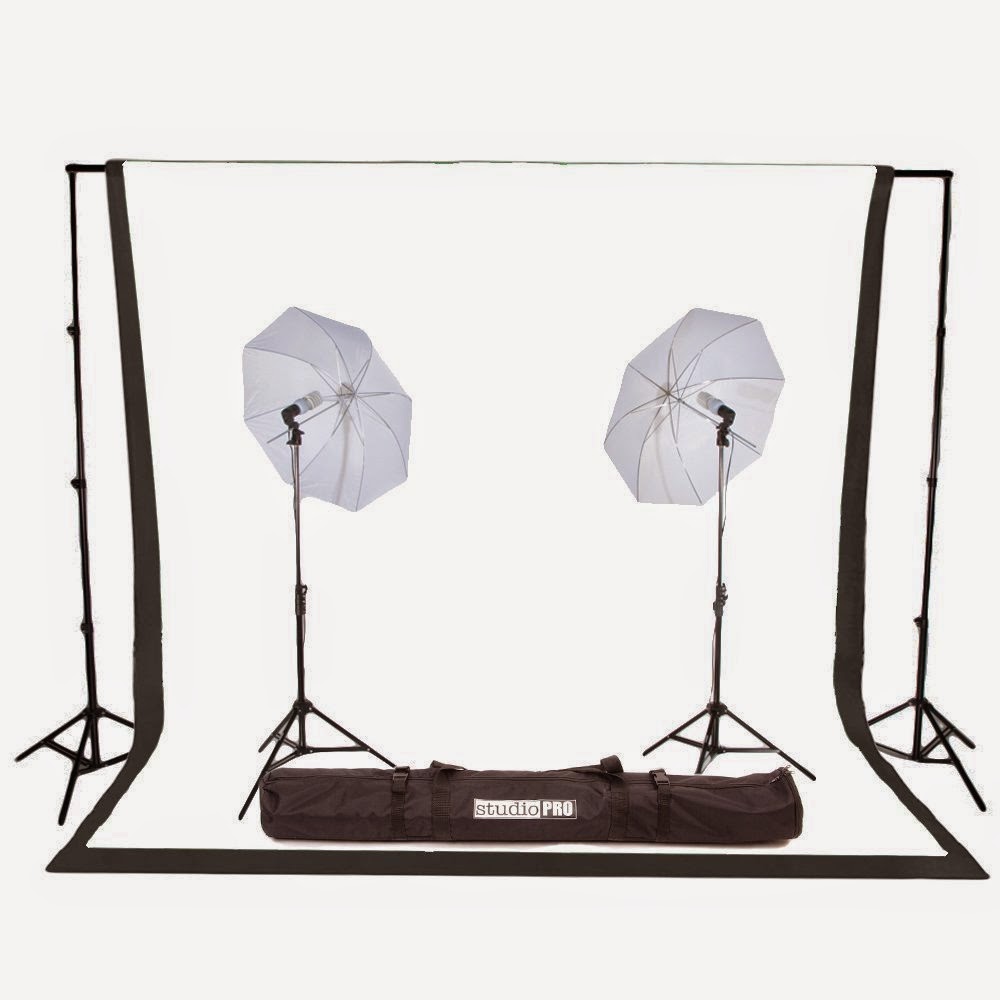
one good backdrop that I can always use in a pinch. Sometimes I like to arrange a nice scene behind me, but more often I just want a simple plain backdrop. Here are two options; one is low-tech (and inexpensive) and one is high-tech (and still pretty reasonable)!

This kit comes with a muslin backdrop, stand and two lights.

Or, if your space is limited, do what I've done and buy yourself some nice backdrop paper that you can tape or pin to the wall in the place you're shooting your video!

I've also been doing more webinars and teleseminars over the past couple of years, and good audio is a critical component of these recordings. If people can't clearly hear you, if the sound is scratchy or contains interference, they will turn off your recording, period.
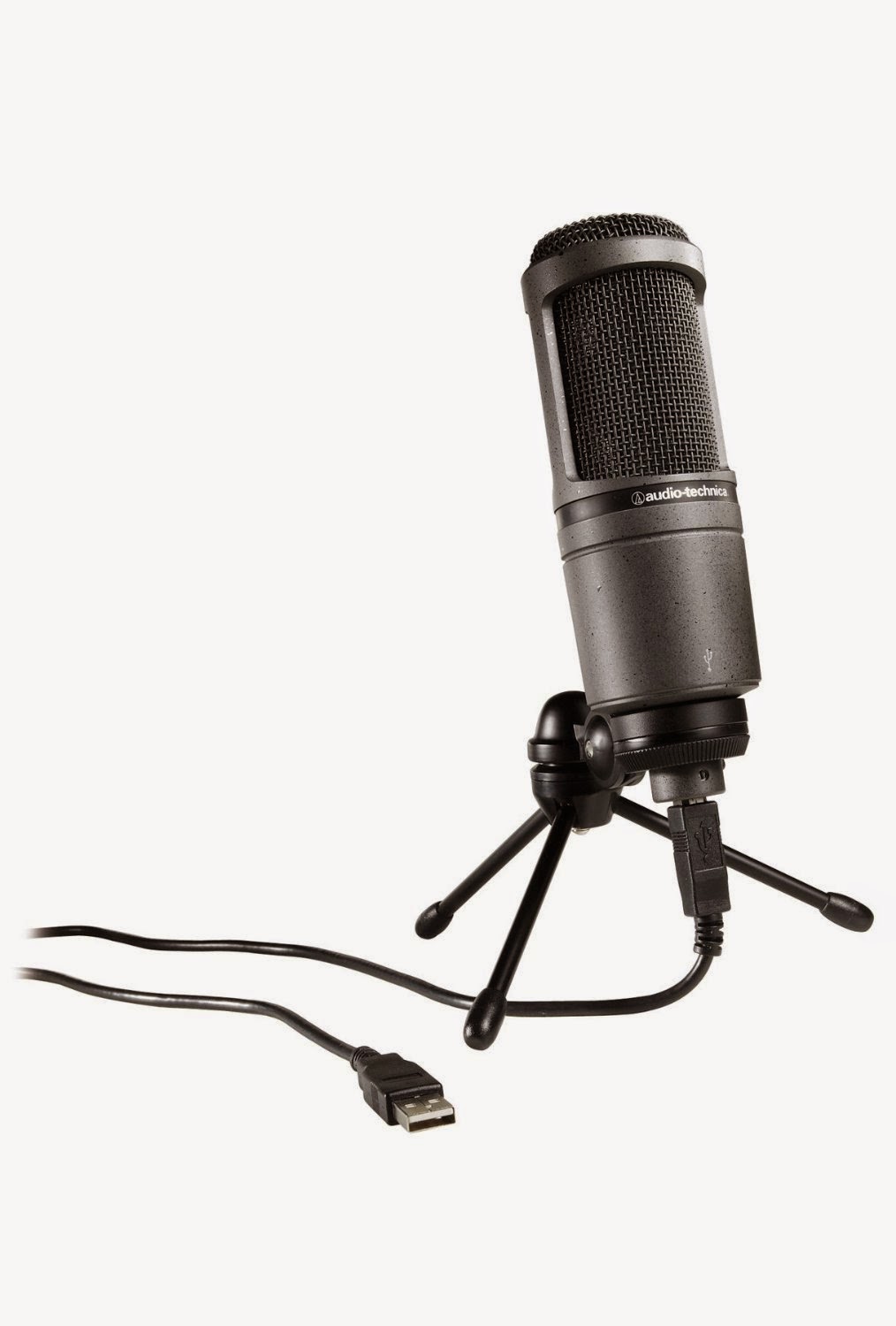
It's worth investing in a decent microphone (preferably wired, for best sound); here are my picks.

For off-camera recordings, like webinars and teleseminars, I use a big ol' USB headset like this one. The audio quality is excellent and it's fairly comfortable.

When you're on-camera for, say, a Google Hangout, then you may not want to look like a big dork in a giant headset. In that case, check out a desktop USB microphone like this one. I'm still in the market for a good desktop mic, and this will likely be it.

There are lot of little things you can have on hand in your speaker kit that'll make your life easier: hand sanitizer (for all those hands you're going to shake), extra batteries, a bottle of water, some mints, masking tape, notebook and pen.... Two things I always have on hand are lip balm (this one is made by one of my favorite local companies in Santa Barbara) and a pocket pack of toothpicks (you do not want food in your teeth when you take the stage!).


Oldies but goodies...

Technology


I've been using the Flip cam forever, and while it's no longer being manufactured, mine still works great! The video quality is excellent, and the sound is pretty good. It doesn't have a mic jack, unfortunately, so in those times when I need an audio boost, I might use my Samsung phone instead.

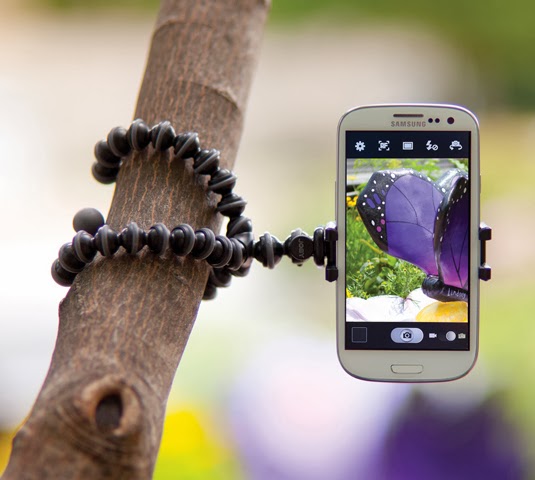
The problem with my phone is that there's no way to attach it to a tripod. The solution? This fabulous little GripTight adapter from Joby. I particularly recommend this one because it expands to fit my Samsung Galaxy SIII, even in its case. Most adapters are made to fit the iPhone and are too small for the Samsung. This adapter will fit any phone. It folds flat and even has a hole to add it to your keychain. I love this little guy!

Joby also makes the GorillaPod, a portable, bendable tripod that you can use anywhere and wrap around anything! A great addition to your video bag of tricks, especially if you like shooting on-the-go. (See both together in the photo on the left.)
Unhitch yourself from the laptop with a wireless presentation remote. This one fits perfectly in my hand, and has simple buttons to move slides forward, backward, and black out the screen. (It also has a laser pointer, but please don't use that.) There are a lot of nice remotes on the market; pick the one that fits best in your hand and has the features that you need.

I love my portable 4-port USB hub, and it is a permanent part of my speaking bag of tricks. I never know when I'll need more ports (for example, ports on the host's computer are too close together for more than one of my USB drives to fit).


Visuals

Make your flip chart notes portable when you carry a lightweight table top easel pad. The sheets stick to the wall like giant Post-It notes and can be placed around the room for further reference throughout your presentation. The easel folds out to stand on a table and folds flat for transport. You can also hang it from a traditional flip chart easel.

Or if you're in the market for a reusable flip chart, try this table top dry erase easel pad.

And for notes on the go, with clients or in small group presentations around a table, try these peel-and-stick dry erase sheets that you can quickly post on the wall, write and erase, or as I've done, just punch holes in them and keep them in a notebook for easy access. (You'll also need dry erase markers to go with these boards and sheets. This pack has nontoxic low-odor ink.)

For regular flip charts, I like these scented markers for their bright, saturated colors, but if you prefer unscented bullet tip markers and have concerns about the markers bleeding through the paper, try these instead.


Fun and Useful Stuff


How about trying out a document stand for your speaker notes? I keep my notes to the side of the stage, on a table or lectern, and in order to see them clearly (I also use a big font!), it's nice to be able to stand them up to make them more visible from afar. This one is foldable. I don't use a clip, however, because I want to be able to flip pages quickly.
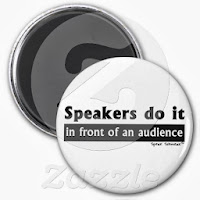
I've brought back some of my favorite speaker sayings as magnets in the Zazzle store. If you're looking for a cheeky stocking stuffer for your favorite speaker, this is it!

To keep your audience engaged and stimulated, bring toys, toys, toys, and more toys. These are some of my favorites!

Use this hand pointer to poke some fun at the audience.

Need a way to haul all your tools and materials around? I've got a rolling craft cart similar to this one. Holds everything I need!


Reading Recommendations
Still my favorite book out there: Learn how to make your message memorable with Chip and Dan Heath's Made to Stick.

Dump the boring templates and bullets and create engaging support materials with Beyond Bullet Points, Cliff Atkinson's book that teaches how to outline and design image-based slides with ease.

Titles a bore? Not any more! Get Sam Horn's POP! Create the Perfect Pitch, Title, and Tagline For Anything, and give your presentation and blog titles that extra WOW factor.

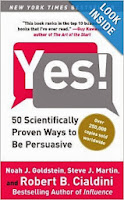
Learn how to persuade anyone of anything with this easy read: Yes!: 50 Scientifically Proven Ways to Be Persuasive.
An interesting sneak peek behind the scenes of the motivational speaking industry is Yes You Can! Behind the Hype and Hustle of the Motivation Biz.

If you'd like an alternative to the usual Martin Luther King/Lincoln/Churchill "famous speeches" books, how about one that shines the spotlight on historical speeches by women? Women at the Podium : Memorable Speeches in History

Packed full of useful tips based on real professional speakers' experiences, National Speakers Association "Speaker Magazine" is a must-have to build your skills.

And if you don't like lugging books around with you, maybe it's time to invest in a Kindle. Once you buy your Kindle, then you can download this blog and my 101 Tips to Improve Your Public Speaking to take with you!


Training
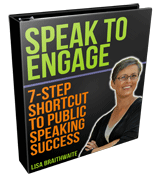
Last but not least, if you think the aspiring speaker in your life might benefit from some self-paced training for best practices in audience engagement and general presentation success, then consider giving the gift of my home study program, "Speak to Engage: 7-Step Shortcut to Public Speaking Success."

This is a web-based program with audios, videos, articles, a workbook and other resources for any speaker to complete at their own pace, on their own time schedule, with all the benefits of working with me in a live program!

Get in touch if you'd like to give this as a gift, and we'll work out the details!

Whew! The list changes every year, and I hope you find something here to make your presentations smoother and more effective, or a gift for that special speaker in your life. Happy Holidays!

____________________________________________________
On The Everything Page you'll find everything you need to build visibility, credibility and influence through engaging presentations that move your participants into action: freebies, low-cost products and courses, and 1:1 coaching!

Technology is a luxury, not a necessity


Via ABC News
By now, you've probably seen the short video of Michael Bay walking off the stage at Samsung's Consumer Electronics Show. In short, the teleprompter stopped working, he got flustered, and took off. I'm not posting it here because I think Bay has suffered enough from replays of the video, and of course, you can find it all over the web.

Forbes posted an article titled, "What Michael Bay's Meltdown at Samsung Can Teach Us," with four tips for what to do when you get flustered on stage.

I've just got one tip for you, which precludes all the others: Prepare for your technology to fail.

Understand that anything requiring cables, cords, power sources, monitors, on/off switches or pixels might stop working.

Prepare your presentation as though these devices and electronics are luxuries, not necessities.

I don't know how much preparation went into Michael Bay's presentation, and I'm not going to assume he was unprepared; let's just say he was really nervous.

However, if you want to avoid his fate, here's what YOU will do to prepare.

1. Know your material inside and out.

You should be able to talk about your topic, conversationally and without notes. Notes are great, and I always have them on the side, but if I forget my notes, I still know my topic. I could talk for an hour straight about any aspect of public speaking, and you should be able to do the same regarding your topic.

In this case, the Executive Vice President of Samsung was onstage with Bay, and was actually prompting him and trying to help him talk about his topic conversationally. Bay couldn't do it.

You MUST be able to do this.

2. Consider technology "nice to have" rather than "must have."

If your computer dies or isn't compatible with the projector, if the projector bulb burns out, if your teleprompter croaks, your presentation still must continue.

Slides and technology are nice, but humans have been giving presentations for centuries without them, and if you are relying on your slides or your monitor to tell you what to say, you will be unpleasantly surprised if something goes wrong.

3. Practice.

This one should go without saying, but unfortunately, too many speakers don't take the time to practice. The previous two tips are meaningless if you haven't taken the time to stand up and deliver your presentation out loud. Several times.

Bottom line: It's all about showing your audience you value and care about them. Technology cannot do the work for you. You must show up, be present, be prepared and be willing to face the audience without your slides, without your teleprompter, and without the crutch of monitors and screens. The show must go on.

____________________________________________________
On The Everything Page you'll find everything you need to build visibility, credibility and influence through engaging presentations that move your participants into action: freebies, low-cost products and courses, and 1:1 coaching!

Holiday gift list for speakers!


I've updated my annual shopping list again this year to help you find the best gifts for your favorite speaker -- who might just be you! You'll also find the oldies but goodies here, so take a look and have fun shopping!

Technology


If you're like me, you've been using the same video camera for a looong time. Mine is the Flip cam, and as you know, it's no longer being manufactured. I still love it for the excellent quality video, and I can boost the audio with software if it's not quite loud enough.

But sometimes it's more convenient to use my phone. The problem? There's no way to attach it to a tripod. The solution? This fabulous little GripTight adapter from Joby. I particularly recommend this one because it expands to fit my Samsung Galaxy SIII, even in its case. Most adapters are made to fit the iPhone and are too small for the Samsung. This adapter will fit any phone. It folds flat and even has a hole to add it to your keychain. I love this little guy!

Joby also makes the GorillaPod, a portable, bendable tripod that you can use anywhere and wrap around anything! A great addition to your video bag of tricks, especially if you like shooting on-the-go. (See both together in the photo on the left.)

Unhitch yourself from the laptop with a wireless presentation remote. This one fits perfectly in my hand, and has simple buttons to move slides forward, backward, and black out the screen. It also has a laser pointer, but please don't use that.

I love my portable 4-port USB hub (similar to this one), and it is a permanent part of my speaking bag of tricks. I never know when I'll need more ports (for example, ports on the host's computer are too close together for more than one of my USB drives to fit).


Visuals

Make your flip chart notes portable when you carry a lightweight table top easel pad. The sheets stick to the wall like giant Post-It notes and can be placed around the room for further reference throughout your presentation. The easel folds out to stand on a table and folds flat for transport. You can also hang it from a traditional flip chart easel.

Or if you're in the market for a reusable flip chart, try this table top dry erase easel pad.

And for notes on the go, with clients or in small group presentations around a table, try these peel-and-stick dry erase sheets that you can quickly post on the wall, write and erase, or as I've done, just punch holes in them and keep them in a notebook for easy access. (You'll also need dry erase markers to go with these boards and sheets. This pack has nontoxic low-odor ink.)

For regular flip charts, I like these scented markers for their bright, saturated colors, but if you prefer unscented bullet tip markers and have concerns about the markers bleeding through the paper, try these instead.


Fun and Useful Stuff


How about trying out a document stand for your speaker notes? I keep my notes to the side of the stage, on a table or lectern, and in order to see them clearly (I also use a big font!), it's nice to be able to stand them up to make them more visible from afar. This one is foldable. I don't use a clip, however, because I want to be able to flip pages quickly.

I've brought back some of my favorite speaker sayings as magnets in the Zazzle store. If you're looking for a cheeky stocking stuffer for your favorite speaker, this is it!

To keep your audience engaged and stimulated, bring toys, toys, toys, and more toys. These are some of my favorites!

Use this hand pointer to poke some fun at the audience.

Need a way to haul all your tools and materials around? I've got a rolling craft cart similar to this one. Holds everything I need!


Reading Recommendations

Still my favorite book out there: Learn how to make your message memorable with Chip and Dan Heath's Made to Stick.

Dump the boring templates and bullets and create engaging support materials with Beyond Bullet Points, Cliff Atkinson's book that teaches how to outline and design image-based slides with ease.

Titles a bore? Not any more! Get Sam Horn's POP! Create the Perfect Pitch, Title, and Tagline For Anything, and give your presentation and blog titles that extra WOW factor.

Learn how to persuade anyone of anything with this easy read: Yes!: 50 Scientifically Proven Ways to Be Persuasive.

An interesting sneak peek behind the scenes of the motivational speaking industry is Yes You Can! Behind the Hype and Hustle of the Motivation Biz.

If you'd like an alternative to the usual Martin Luther King/Lincoln/Churchill "famous speeches" books, how about one that shines the spotlight on historical speeches by women? Women at the Podium : Memorable Speeches in History

Packed full of useful tips based on real professional speakers' experiences, National Speakers Association "Speaker Magazine" is a must-have to build your skills.

And if you don't like lugging books around with you, maybe it's time to invest in a Kindle. Once you buy your Kindle, then you can download this blog and my 101 Tips to Improve Your Public Speaking to take with you!


Training

Last but not least, if you think the aspiring speaker in your life might benefit from some self-paced training for best practices in audience engagement and general presentation success, then consider giving the gift of my home study program, "Speak to Engage: 7-Step Shortcut to Public Speaking Success."

This is a web-based program with audios, videos, articles, a workbook and other resources for any speaker to complete at their own pace, on their own time schedule, with all the benefits of working with me in a live program!

Get in touch if you'd like to give this as a gift, and we'll work out the details!

Whew! The list changes every year, and I hope you find something here to make your presentations smoother and more effective, or a gift for that special speaker in your life. Happy Holidays!

____________________________________________________
On The Everything Page you'll find everything you need to build visibility, credibility and influence through engaging presentations that move your participants into action: freebies, low-cost products and courses, and 1:1 coaching!

Do you really need to give a presentation?


I have quite a few clients who come to me with presentations that are completely encased in PowerPoint. That is, everything that needs to be said is delineated on the slides, either in bullets, graphs or actual word-for-word paragraphs.

Frequently, these clients are themselves perplexed about why a meeting or presentation is necessary, when all they're doing is reporting numbers or giving updates that could easily be e-mailed in a brief report. Especially when a presentation is delivered by webinar to people spread around in distant offices and there's no live gathering of people in the same room: Could the same goals be achieved by delivering material another way?

Maybe they don't have a choice, but do you?

Are you the one calling an information-transfer meeting concerning data that could easily be e-mailed to others in a document?

Here are some questions to ask when you're considering scheduling a live presentation:

1. Is there a human element necessary to give context to the numbers on the slides? Are there stories or analysis behind the data that a person needs to speak about that can't be otherwise written in a report?

2. Is there a purpose to the meeting beyond the mere transfer of information, like brainstorming or group decision-making that will be based on the data in the slides?

3. Are there objectives and action items that will be addressed? Are there specific results that are expected to come from the meeting?

4. Is there a persuasive element to the presentation where a live speaker is necessary to convince and convey the importance of the material to the group?

If you answer "no" to all of these questions, then please send your material by e-mail, and don't waste your group's time making them sit and listen to a speaker who is simply repeating the information on slides that the audience is looking at on a monitor -- or worse -- already holding in printouts.

If your group can look at the material on their own, at their convenience, and respond in an appropriate time frame to the necessary colleagues, isn't this a better use of everyone's time?

Share your additions to this list in the comments: When is a live presentation necessary to deliver data?

____________________________________________________
On The Everything Page you'll find everything you need to build visibility, credibility and influence through engaging presentations that move your participants into action: freebies, low-cost products and courses, and 1:1 coaching!

Gmail tabs and the end of the world


Have you heard about "The Great Gmail Freak-Out Of 2013?" Tori Deaux coined this hilarious title for the mass hysteria that has set in since Google created a Promotions folder in Gmail for all of our newsletters and -- yes, promotions -- to be sent to.

I have to admit, when I started getting e-mails from coaches and gurus I follow with the desperate pleas to drag their e-mails onto my Promotions tab, I started to panic a bit myself.

Would my Gmail-using readers still be able to see my Presentation Pointers newsletter? Would they still find out about programs and services I'm offering? I started to freak out, too.

Then I read this. And I watched this. And I read this.

And I stopped panicking.

Yes, in my latest newsletter, I did give instructions to my readers for how to find my newsletters and how to add them to their Primary inbox, should they so choose. But really, if someone is looking for my e-mails and they haven't done this, they can still find them in the Promotions inbox. So hey... no big woop.

Personally, all my Gmail feeds into my desktop Thunderbird client and I manage all my folders and filters from there. So my mail is still going where I want it to go, with or without Gmail's approval. You can do that, too, if you don't want Gmail telling you where your mail should go.

But this is manageable. It's not the end of the world. And as Tori says in her post:

"In the past, I've missed out on a lot of your promotional offers.

Your email was buried under Facebook Pokes, coupons from office supply stores, updates from Twitter, political diatribes from Uncle Herbert, support tickets from clients and web hosts and vendors, and I just missed it. Or maybe I saw the email, opened it, wasn't able to take action right that instant, and it got buried all over again.

With one big inbox, if I want a coupon from a store I frequent, I have to search my email for it. If I suddenly remember that I didn't see your expected monthly promotional awesome, I have to search for that, too – and it isn't always as simple to find it as you might think. (trust me, because I do this searching-my-email-for-your-stuff thing a lot.)

But now?

I can just glance at the tabs.

The most recent senders are shown on the tab itself. Cool, huh? And to see more, I can click onto that Promotions tab, and find your stuff SO much more easily than before. It's no longer lost in a whirl wind of other stuff."


So. If you want my e-mails to go your regular Gmail inbox, you can just drag them from the Promotions inbox into the Primary inbox by dragging onto the Primary tab. You can even get rid of the tabs altogether. Or just leave it the way it is and find them in the Promotions inbox.

I hope you continue to find my content valuable, useful and relevant to your speaking growth and improvement. If not, you're not reading my messages anyway, and this new feature won't change that.

"The Great Gmail Freak-Out Of 2013?": An Open Letter To Email Marketers

The Sky is Falling! The Sky is Falling! [Video]

Will Gmail tabs hurt e-mail marketers?

____________________________________________________
On The Everything Page you'll find everything you need to build visibility, credibility and influence through engaging presentations that move your participants into action: freebies, low-cost products and courses, and 1:1 coaching!

A presentation tool you don't want to be without!


A quick video tip for you today: A presentation tool you don't want to be without!


Here's where to find the GigaWare 4-port travel hub.

____________________________________________________
On The Everything Page you'll find everything you need to build visibility, credibility and influence through engaging presentations that move your participants into action: freebies, low-cost products and courses, and 1:1 coaching!

How virtual presentations can help your live presentations


I learned how to use a teleprompter yesterday. It was easier than I thought it would be in some ways; in other ways, it was harder. The easy part was following the words and not getting behind. The teleprompter operator was masterful at follow my speaking rate, so that I could just do what I do naturally and he kept up.

The hard part? Keeping the warmth and connection in my presentation while my eyes were forced to remain in constant contact with the written words!

My preferred presentation format is always live. The more people in the audience, the better. I love the interaction, the energy, the connection.

But as speakers, we can't always have a live audience. Sometimes we're creating video, podcasts and webinars, all forms of media that lack a visual connection to an audience. It's important to get practice in all of these, as the skills you develop when speaking without an audience can enhance skills you already have for speaking to a live audience.

When speaking to a video camera, I can imagine that I'm speaking to one person. I don't have the distraction of reading at the same time. Whether speaking conversationally or reciting a memorized script, it's easy (for me) to imagine that one-on-one connection.

However, add in the distraction of reading words while attempting to sound and look relaxed, natural and conversational, and it's a whole new ball game. It wasn't at all like reading from a piece of paper and looking up at the audience from time to time. My entire focus had to be on the screen with the words, as though that screen held the faces of my audience. And those words were written by me, in my own voice. I can only imagine how much harder it would have been if the script had been written by someone else.

Most of the time, I felt like I was on a roll and really feeling the words and the connection with my imaginary audience. But a few times I started feeling disconnected, almost like I was floating outside my body. I could hear myself saying the words, but had lost the feeling behind them. I had to refocus several times, bringing my body and mind back together; the intense level of focus necessary really surprised me.

The best way I can describe it is that it reminds me of going to Mexico, and even though I've always been fairly comfortable speaking Spanish, finding myself at a whole new level of communication. The amount of concentration required for speaking and listening to Spanish all day every day was exhausting! It used parts of my brain that I'm positive had never been activated.

I'm sure the more familiar I get with using a teleprompter, the easier it will be, much like how my communication skills in Spanish became much more fluid over the week I was in Mexico. But it was a much more complex activity than I had anticipated. It was the ultimate in multitasking.

So how can the process of creating video, podcasts and webinars help you with your live audience skills?

1. Voice

Speaking into a microphone requires an extra level of vocal variety. Especially in an audio recording where your audience only has your voice to guide them, without facial expressions, gestures or movement, you have to step up the color in your voice to keep them engaged.

Practicing your vocal variety in this setting can translate into more interesting vocal variety in your live presentations.

2. Energy

When you aren't seeing your audience, you can feel disconnected and a little lonely. Without the audience's facial expressions and body language to feed off of, it can be hard to come up with the necessary energy to keep the virtual audience engaged. This is where you have to dig down and find it within yourself to create the energy you need to keep the audience connection alive -- even when you can't feel that connection.

Next time you find yourself with a low-energy or early-morning audience, you'll have a greater ability to dig into yourself to find the energy you need to fuel your presentation while your audience gets warmed up.

3. Focus

There's a level of focus required when you're speaking to a mic or video camera that is different than when you're with an audience.

Your audience helps direct the presentation; their smiles and interaction, questions and body language help shape the way you deliver your message from the stage. It's a natural form of interaction that can be almost effortless with practice and experience. You just don't have to try as hard to stay focused and keep your attention with them, because you are in the moment, and in the same room.

Without the live audience, your focus must remain tightly fixed to your content, your delivery, and most importantly, your intention. The emotions you want to bring to the presentation, the gestures, the facial expressions, the tone of voice -- all of these things must be consciously and actively engaged. There is no one to give you feedback in the moment. You must make constant adjustments based only on your own perception of your performance.

This kind of focus can be very helpful in live presentations, when you've gained the ability to concentrate on what you're doing and saying at the same time as reading the audience and moving in the appropriate next direction -- without even consciously thinking about it.

Getting out of your comfort zone, as I've said before, can be scary and tiring. But it's critical to stretching and growing as a speaker. I highly recommend working with a professional videographer and learning to use a teleprompter. It can only make you better in front of a live audience!

____________________________________________________
On The Everything Page you'll find everything you need to build visibility, credibility and influence through engaging presentations that move your participants into action: freebies, low-cost products and courses, and 1:1 coaching!

You're in love with your data, but the audience isn't


I get why you love your stats, your graphs, your charts so much. You put your blood, sweat and tears into the research. Or at least into finding other people's charts to paste into your slides. Your data is brilliant. It makes your case. It explains everything you want to say. It might even be kind of pretty. Look at how those data points curve so dramatically upward and then zigzag back down! Fascinating! You have so much information, and it's so interesting, and you want to share it all!

But guess what: Your audience doesn't love your stats, graphs and charts. Or your spreadsheets, because as Dave Paradi points out in this article, "...a spreadsheet is an analytical tool, not a communication tool."

They just want to know how you can help them.

Your chart doesn't tell your story, your graph doesn't persuade your audience, and your diagram doesn't motivate them to do anything. What your data does is support your key points and give the audience the facts and figures behind the story. Your charts and graphs can help them understand how you arrived at your conclusions, so that they can 1) determine your credibility, 2) make their own analysis of whether the data backs up their already established beliefs, gut feelings, and maybe some of your new challenging ideas, and 3) respond or not respond to your call to action.

But if all you have are charts and graphs, and you have no useful tools to offer, no relevant next steps, no emotional appeal to raise your audience's adrenaline by illuminating their fear, curiosity, amusement or anger, you will get little follow-through.

They just want to know how you can help them. So make it about them, about what they need, want and care about, and not about your slides that make you look really smart but make no human connection whatsoever with the humans sitting in front of you.

I found a nice explanation here of how to use charts and graphs more effectively in presentations. Enjoy!

____________________________________________________
On The Everything Page you'll find everything you need to build visibility, credibility and influence through engaging presentations that move your participants into action: freebies, low-cost products and courses, and 1:1 coaching!

Speaking on Skype: They can still see you.


More and more of us are using Skype and other video chat platforms to hold meetings and coaching sessions. It's convenient, we don't have to leave the home or office, and it allows us to converse with people in different cities, states and countries.

Video chat comes with its own set of rules and etiquette that parallel public speaking rules in some ways, and are completely unique in other ways. Here are a couple of tips to help you make the most of your next video chat.

1. Look at the camera, not the screen.

This one is really hard, because we want to look into the face of the person we're speaking with. But if you look at your computer screen, you're not actually looking into the person's eyes. You are looking somewhere below them (assuming your camera is placed or embedded above your monitor). Looking into the camera ensures you are making eye contact, even though it doesn't feel like it on your end!

A client's solution is to put a little sticker or a picture of a face next to the camera so she remembers to look there.

2. Dress appropriately.

We've all seen the videos online of people who were dressed appropriately from the waist up and had to suddenly get up from the call, revealing undergarments or pajamas from the waist down. This video is particularly funny, although I'm pretty sure it's a PSA and not a real event.

Comb your hair, brush your teeth, dress yourself from top to bottom, and once you sit down in front of the camera, be ready to go and assume you're being watched. If you have food in your teeth from lunch, use your toothpick before you get in front of the camera.

3. Test your equipment beforehand.

Don't make the other people in your meeting wait while you fiddle with the camera settings, adjust your microphone and test your lighting. If you're not familiar with your equipment or software like Skype, learn about it before the call.

4. Remove distractions.

Turn off the ringers on your cellphone and landline and turn off your printer (mine chooses inopportune times to loudly recalibrate itself). If you work from a home office, make sure the cat or dog is in another room, your child has someone or something to occupy her, and the TV or radio are turned off (or down if someone is using them).

It's not always possible to avoid or control distractions. In my last house, I had no options for removing our chatty cat from my workspace, and she always wanted to talk, especially when I was on the phone. I would briefly excuse myself from the call, move her to another place in the room and give her a couple of back scratches, and that was usually enough to get through the rest of the call in quiet. Do your best, and be respectful of the other people on the call.

5. Remember: People can see you.

Sometimes we feel almost invisible on a video call. Because you may be sitting alone in a room, it seems like you're really alone. But others are watching you and noticing your facial expressions, whether you're typing on your phone, whether you're slouching in your chair or if you have your feet on the desk. Behave the same way you would if you were in the same room as the others in the meeting, like a professional.

These are just a few things to apply to your next video chat. If you want to learn now to be really great on camera, check out Ruth Sherman's offerings, like her upcoming Video Charisma course.

____________________________________________________
On The Everything Page you'll find everything you need to build visibility, credibility and influence through engaging presentations that move your participants into action: freebies, low-cost products and courses, and 1:1 coaching!

Why we need a dog


For a clear, concise story within a clear, concise story, look no further than the current Microsoft commercial. The commercial shows a child using PowerPoint to convince his parents to add a dog to the family.

The PowerPoint within the commercial is also simple, delivering three main points with video, a chart, and on each slide, one clean line of text:

Protection (we see a dog attacking a man)

Teach me responsibility (we see the boy "walking" a stuffed dog)

Dog owners live longer (a nifty chart showing years vs. "dog" and "no dog")

There is no dialog in the commercial, only facial expressions and body language expressing the family members' reactions to the presentation. Later (after the dog has been adopted), we see Dad approach Mom with a similar presentation about playing golf on Sundays, but Mom shoots him down with a shake of the head.

And all of this is achieved in 30 seconds.

You think 20 minutes or ten minutes or five minutes isn't enough time for your presentation? Sure it is! Keep it simple, choose your most critical points, and appeal to your audience's emotions... and you've got yourself a dog!


____________________________________________________
On The Everything Page you'll find everything you need to build visibility, credibility and influence through engaging presentations that move your participants into action: freebies, low-cost products and courses, and 1:1 coaching!

PowerPoint and the power failure


While I'm moving this week, I've invited some of my favorite public speaking and communications bloggers to guest post here on Speak Schmeak. Please enjoy this post by Laura Bergells, from her blog, More Than PowerPoint. Follow her on Twitter: @maniactive.

The thing about electronic gizmos is that they can -- and will -- fail you.

At any time. Without any notice.

In the past month, I've been without electricity itself...twice. Power failures were all the rage during last week's heat wave.

If electrical failure has not happened to you yet in your life -- it will.

That's why you need to plan on some kind of presentation-related electrical failure. It will happen frequently in your lifetime.

A computer's hard drive will crash during an important PowerPoint presentation.
A remote will go kaput just when you need to advance slides.
Your microphone will start inexplicably screeching mid-speech.
The bulb in your projector will suddenly burn out....

Count on it. Plan for electrical failure with every presentation. Develop and rehearse your PowerPoint backup plan.

Because when you plan on electrical failure, you're actaully planning on presentation success.

Why? Because if you count on electrical failure, you have a contingency plan. You learn to count on yourself. You focus on connecting with your audience , and not the electronic gizmos.

When you learn to communicate successfully without electricity, and you'll be a better, more confident presenter.... even when you eventually have access to the fully functional electrical gizmos.

Or as Garr Reynolds' writes at his masterful blog, learn to present naked! (In this hellishly hot weather, who would blame you?)

____________________________________________________
On The Everything Page you'll find everything you need to build visibility, credibility and influence through engaging presentations that move your participants into action: freebies, low-cost products and courses, and 1:1 coaching!

You can be right, or you can be helpful


Here's the transcript of a conversation I had a couple of days ago with the webmaster for a resort whose newsletter I was trying to subscribe to. I'm leaving out his real name (let's call him "Frank"), but keeping in the lack of punctuation.

What do you notice?

Me: I'm trying to sign up for your newsletter, and I keep getting an error message that I've submitted an invalid e-mail address, which is the address above. I have not typed it wrong, and it's a valid address. Can you please resolve this?

"Frank": This is odd, let us check and get back to you. Thanks for calling.

"Frank": We reviewed your challenges with the enewsletter subscription device. It appears to be working perfectly. Thank you for your consideration.

Me: Thank you for looking into it, "Frank", but I'm still getting the error message (I've attached a screenshot). Can someone perhaps subscribe me from your end?

"Frank": yes certainly

"Frank": I was able to subscribe perfectly
you may have put in more than your address…
For example:
[Here he writes out my e-mail address with symbols around it] will not work
You need to put in just: [My e-mail address]
which I did!

Me: "Frank", all I put in was my address, no extra spaces, no extra characters. Thank you for subscribing me.

"Frank": sorry, but I got your name in.
regards, "Frank"

Here's what I noticed.

"Frank" didn't ask me what I had typed or try to figure out what had gone wrong on my end.

He didn't offer to subscribe me when I still couldn't get the form to work. In fact, he ended the conversation, forcing me to ask for his help in subscribing.

He then proceeded to tell me what wouldn't work in the form, assuming that I had mistyped my own address or used invalid characters, disregarding what I had already told him.

Then, he basically blew me off with a "Well, sorry, I got it to work."

No assurance that he would look into the issue for other customers, just the general attitude that I had done something wrong and was too stupid to know what it was, and that he had fixed it and all was fine. He demonstrated no tact, no problem-solving skills and very little customer service ability.

Did I mention that he is the president of the company who provides this service to the resort?

And did I mention that this is a high-end resort where customers might expect a higher quality of customer service and assistance (or ANY quality of customer service and assistance)? Also, what Frank doesn't know is that this resort is a client of mine, and the person I work with is the person who probably hired him to do this job. I'm not going to rat him out, but here's the point...

I don't care how brilliant you are or how much you think you're right... never make your customers feel stupid.

If you're in business, you need customers. If you're a speaker, you need audiences...

If you insult your client, customer or audience member, how does that help your business? How does it reflect on you as a company people want to work with or buy from? How does it help you build a good reputation?

It doesn't.

Speakers need good customer service skills, too:

Speakers need to listen to their client and their audience in order to understand what they want, need and care about. They need to clearly understand the audience's challenges and problems.

Speakers need to respond respectfully to questions and comments. (Body language needs to be consistent with the respectful response, by the way. Saying something "polite" while rolling your eyes defeats the purpose.)

Speakers need to refrain from making assumptions about the audience's lack of knowledge, ability or sophistication, and ask questions that reveal where the audience is coming from in a sensitive and tactful way.

Speakers need to demonstrate professionalism before, during and after an engagement. All communications, whether written or verbal, must be courteous, clear, free from typos and show proper use of language.

Speakers need to be mentally flexible and creative thinkers, understanding that audiences and audience members are unique individuals and vary from engagement to engagement. No two people are alike and no two audiences are alike.

You may be right, and you may be smarter than everyone else in the room, but who's gonna care when you have no clients?

Now, for a giggle, anyone remember "Nick Burns, computer guy," on SNL? And after you watch the video, consider checking out these previous related blog posts:

Six customer service tips for speakers

Do you make your audience feel stupid?

Are you speaking your audience's language?


____________________________________________________
On The Everything Page you'll find everything you need to build visibility, credibility and influence through engaging presentations that move your participants into action: freebies, low-cost products and courses, and 1:1 coaching!
TEDxUCLA: The good and the great


I had the privilege of attending TEDxUCLA this past weekend. With spots for only 400 people and a dazzling roster of speakers, the event quickly sold out. So I got up early and hightailed it down to Los Angeles for a day typical of a TED or TEDx conference: chock full of innovative ideas, amazing art and music, creative expression and, oh yes, the occasional thud of a dull speaker.

First, I'll describe what was good and great about this conference, both in its conception and in the quality and ability of the speakers. Let's call these the "DOs."

1. DO: Acknowledge the tweeters, texters and typists

When I got my information e-mail from TEDxUCLA with the guidelines of the day, I first felt a little offended. "What? Anyone using electronic devices has to sit in the last three rows? Well, I never." Or something like that.

However, when I arrived and discovered that the auditorium was actually rather intimate, I realized that the last three rows were not so far from civilization. And as the day went on, I appreciated being surrounded by others taking notes on laptops and iPads. And I'm sure the rest of the audience appreciated not having our typing sounds interfere with their enjoyment of the day.

This was a win-win for speakers (who don't have to look at downturned heads typing away while giving their presentations) and audience members alike (who felt at ease to freely type, surf the Web looking up bios, and tweet out to followers without getting dirty looks from surrounding neighbors).

I also enjoyed the projections on the front walls of individual hashtags for each speaker. Every #tedxucla tweet went out accompanied by a hashtag for the speaker, which can then be searched later. Brilliant.

By the end of the day, I had met, had followed and had been followed by several fellow Twitter users that I never would have met otherwise.

2. DO: Encourage audience interaction

From the stretch breaks with "the wave" and flying beach balls to the Michael Newman introduction which included "Get out your smart phones," the most engaging presentations of the day were those which included the audience.

As in most of the TED talks I've ever seen, there tended to be very little interaction between speakers and audience. I don't know why this is the case; I don't know why TED speakers are encouraged to lecture rather than converse, but thankfully not all of the speakers of the day took heed of this tradition.

3. DO: Use compelling visuals and examples

The speakers at this conference had some of the more effective examples and images that I've seen.

Photographer Rachel Langosch showed slides of her young students' photos documenting their world; it was much more powerful than if she had just told us how her students took to photography.

Andrew Byrom used images to demonstrate how he went from designing typefaces to creating 3D sculpture based on typefaces, to building utilitarian objects from the same typefaces. The progression of his work was clearly laid out in his visuals. I beseech you to visit his site and look at his designs; they're unbelievable. Here's a (not-great) photo I took of one of his creations (hint: they're tables and benches in the quad outside the Broad Auditorium).

Eddo Stern, after describing how games and play can improve our mid-lives, showed a series of videos that completely challenged my concept of computer games. I had been a little resistant to his talk at first, but his examples opened my mind.

And I'll never forget Jimmy Lizama, who used stories from his own life, costume changes, facts about the environment, community and economy, and intriguing and humorous images to share one message: Get out of your car and onto your bike. He even gave us homework for how to do it. He's not just telling us what to do; he's living the life. He's not just promoting a different lifestyle; he's passionate about and committed to it. He made a huge impact on me.

4. DO: Tell stories.

The speakers who had the biggest positive effect on me were the ones who told stories. I've already mentioned a couple, above, but I don't want to leave out the best storyteller of the day (via 2001 TED talk video): legendary UCLA basketball coach John Wooden.

Just watch this video (even just a few minutes) to see what I mean.


Wooden told stories of his own childhood, of his dad reading poetry aloud on the family farm by the light of a coal oil lamp. He told stories of his students and players. He shared his philosophy of success, which was the basis of his talk: "Success is peace of mind which is a direct result of self-satisfaction in knowing you made the effort to become the best that you are capable of becoming." He shared the life lessons and rules he imposed on "the youngsters," a direct result of his father's teachings. He recited poetry from memory.

He was profound, smart, humble and funny. It was a great treat to see this talk from a great man.

5. DO: Use humor

Many of the speakers incorporated humor into their talks, but one stood out for his well-thought-out enhancement of a technical topic: Leonard Rome. Rome is a researcher who talked about his work with "vaults," minute barrel-shaped particles within our cells that can be used as drug-delivery vehicles for chemotherapy and vaccines, among other things.

His visuals included vaults which turned into hot dogs (after a mention of the resemblance), Homer Simpson representing a cancer patient, scenes from the movie "Fantastic Voyage," a picture of Minnie Mouse (as he described a female mouse immune to chlamydia), and many other humorous and simple images which helped the audience to understand the nanosystems he was describing.

He shared his initial impulse to call the vaults "Roma-somes," but wisely went with vaults instead. He expressed his desire to one day be able to say "Take two vaults and call me in the morning."

He made a topic that could have been overly technical and hard to understand (and to be honest, it still was, to some degree), fun and engaging.

On a side note, I also want to give him props for giving his colleagues props. When talking about new discoveries and contributions by colleagues, he generously named names.

6. DO: Offer solutions

It's one thing to talk about a problem and give stats and explain how bad things are. It's another thing to offer solutions that audience members can actually participate in and relate to.

Sometimes I listen to a speaker and I'm not sure what their purpose is, what they're trying to achieve, but this was not a problem with Jimmy Lizama, who told us exactly how to get out of the car and onto the bike; Yoh Kamano, who explained simply and clearly how we can use social media more effectively during natural disasters by geo-enabling our phones (and also included the audience tweeting #helpmeted to participate in his demonstration); or Stefan Sagmeister (via TED video) with the message, "If you have a lot of friends, meaningful friendships, or are married – you are more likely to be happy." Speakers who gave solutions to the problems they presented were more effective and felt more relevant to my life.

Overall, the conference was well done.

The lengths of the talk alternated between short, medium and long, and the topics/speakers also alternated between technical/scientific, environmental, creative, musical, political and medical.

Most of the speakers were interesting and engaging, and seemed to have some experience speaking or some training.

The auditorium was just the right size. It felt intimate, but was able to handle a large crowd.

The final act of the day was a real-time performance joining musicians live-streaming from Seoul, Korea with musicians in the UCLA auditorium, presented by CultureHub. It was incredibly moving and beautiful to be part of such a collaborative international experiment.

I can't wait till videos of the speakers and performances are posted online, so I can share all of these great presentations with you!

I will follow up this post in a day or two with my take on what TEDxUCLA could do better next time.

____________________________________________________
On The Everything Page you'll find everything you need to build visibility, credibility and influence through engaging presentations that move your participants into action: freebies, low-cost products and courses, and 1:1 coaching!

Related Posts Plugin for WordPress, Blogger...